

Everything you need to know about where to buy, sizing, and designing your perfect packaging.
So, you’ve got an amazing product and you’re ready to see it in a professionally printed stand-up pouch, just like the leading national brands on the shelf. You are probably wondering: ‘Where is the best place to buy custom stand-up pouches online that will actually look fantastic?’
At The Pouch House, we’ve engineered a system that takes all the guesswork out of ordering. We don’t just digtially print pouches; we provide the tools to make it simple for you and your design team to get a perfect, shelf-ready package—without the headache or high minimums.
*Still need help after reading this? No worries. We have pouch experts standing by to help guide you through the process.
Step 1: Determine Your Perfect Fit
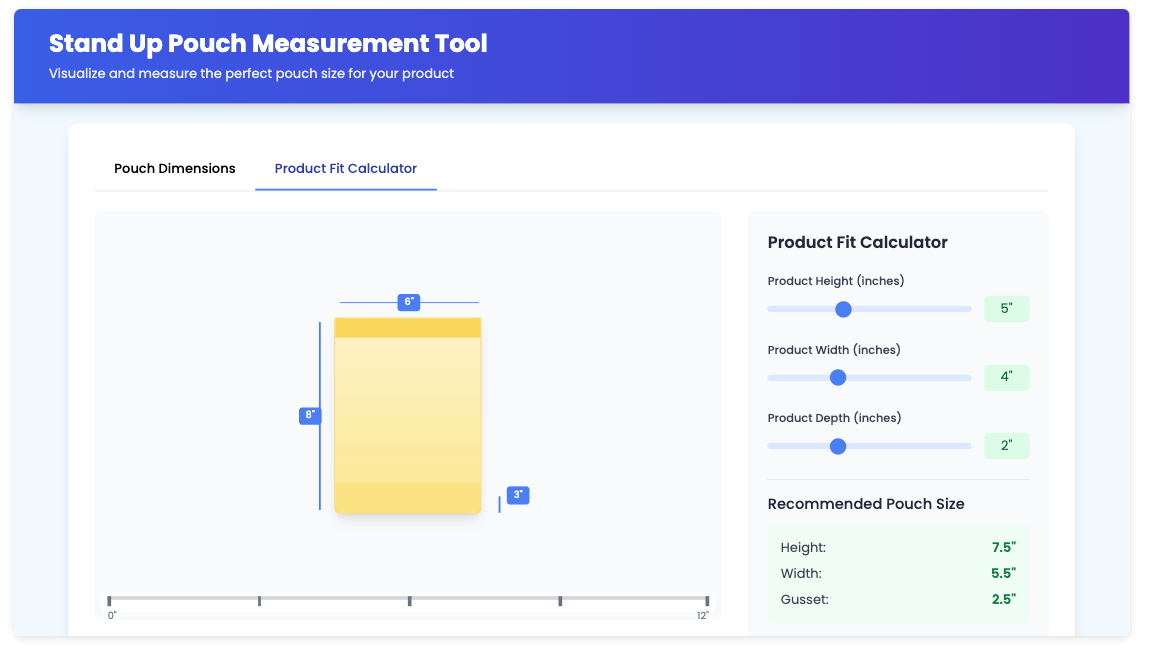
Choosing the right pouch size can make or break your product presentation. Don't guess—use our Pouch Size Calculator to estimate the exact dimensions that fit your product’s volume and weight.
Our calculator factors in essential "headspace" (5–10% extra room at the top) to ensure your pouch seals perfectly every time.
Step 2: Start with a Press Ready Template
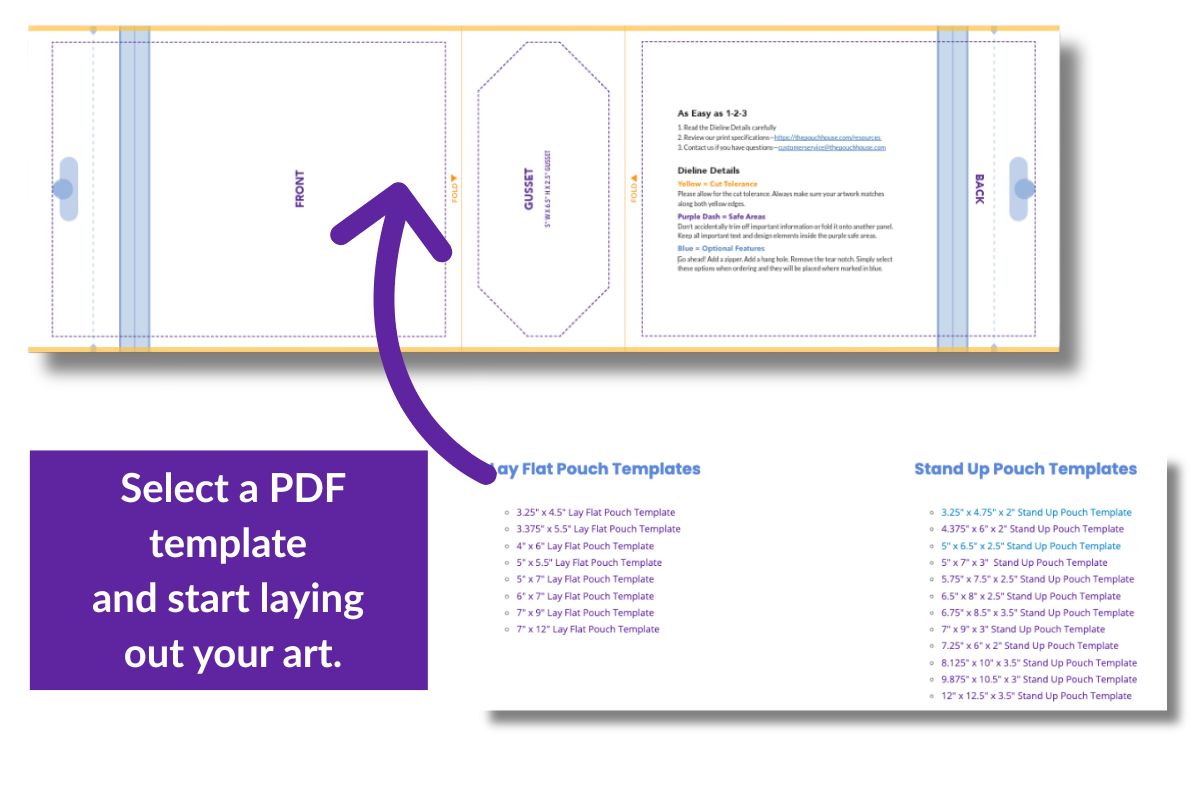
For most of our customers, the design starts with their internal designers or a design agency. Once you know your size, you can download exact Illustrator die-lines from our Resources Page.
These templates ensure your art fits perfectly within the trim lines, bleed areas, and safe zones—preventing text from being cut off by seals or zippers.
Step 3: Create Art that Pops
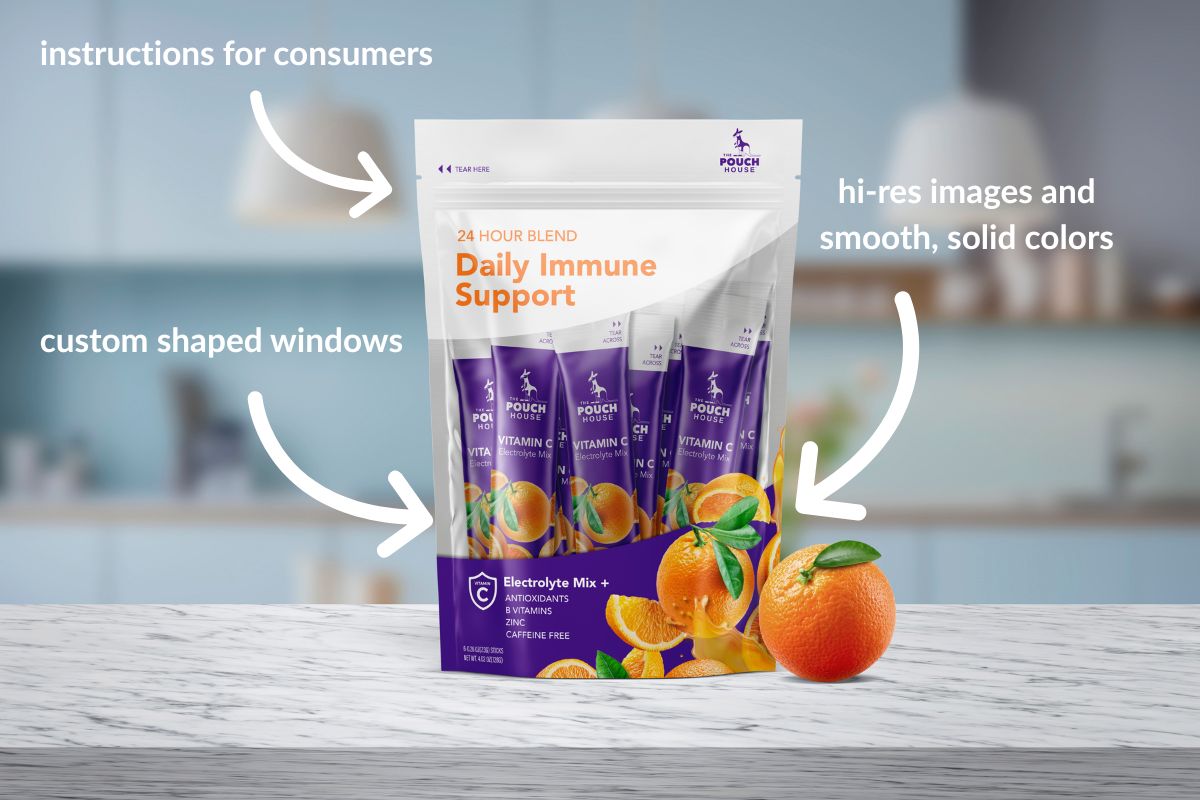
Your team should create artwork in Adobe Illustrator and save it as a layered, high-resolution PDF. For the best results, remember these key Art Guidelines:
- Resolution: Images must be at least 300 dpi.
- Color: Build your art in CMYK values for digital printing.
- Fonts: Outline all fonts to avoid spacing or character variations.
- White Layers: If you want windows or metallic effects, include a separate "White Ink" layer.
No Designer? No Problem!
- Online Design Studio: Use our built-in tools to access image libraries and assets for simple designs.
- Design Network: We can refer you to our internal network to help create professional, press-ready art quickly and affordably.
Step 4: Configure & Upload
Once your PDF is ready, go to your specific industry page, select your quantity, and click ‘Upload Your Design’.
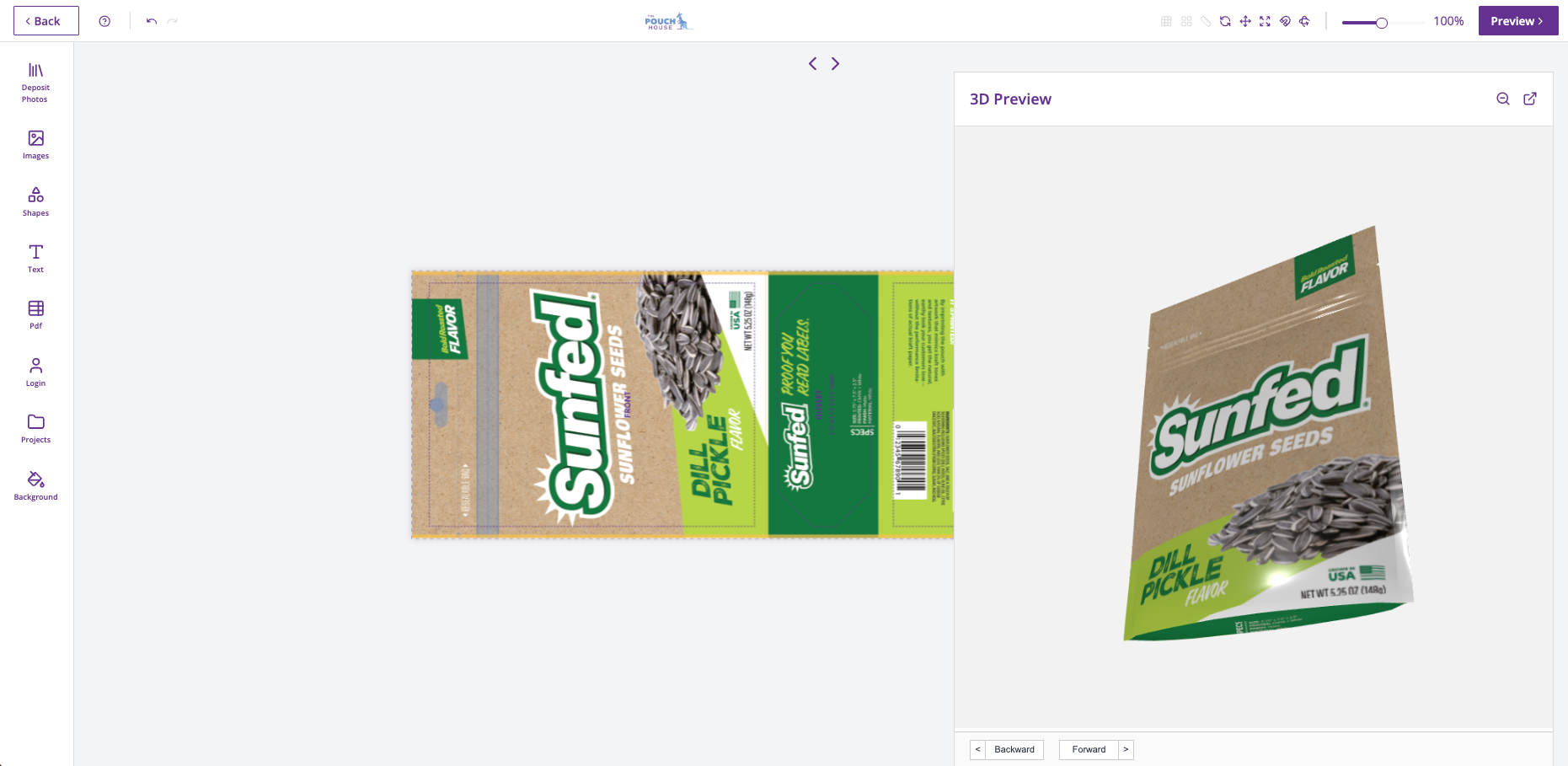
Reviewing Your Proofs: We provide two ways to ensure your bag is perfect before we hit the press. You can approve your art via a standard **PDF proof** or interact with a **Live 3D Proof** that lets you rotate and inspect your design on a virtual pouch.
Want to test the fit first?
Don't guess on materials or sizing. See and feel our quality first-hand with a variety pack delivered to your door.
Order Your Free Sample KitCommon Questions About Ordering
How do I approve my custom pouch design?
We offer both high-resolution PDF proofs and interactive Live 3D proofs. The 3D proof allows you to see how your art wraps around the gusset and seals before production begins.
Where can I download stand-up pouch die-lines?
You can download exact Illustrator templates for both stand-up and flat pouches on our Resources Page.
What file format is required for printing?
We require high-resolution (300 dpi), layered Adobe PDF files built in CMYK for the best print results since this is digital printing.